The SI Gateway connects your Sunsynk or Deye inverter to the Solaire Intelligence app — live solar, battery, load and grid figures, with everything running locally on the device. No cloud account, no subscription. Home Assistant ready. Designed, built and supported in South Africa.
🚚 Free delivery in South Africa · 🛡️ 12-month warranty · 🚫 No subscription, ever
Live demo — no hardware needed
Your inverter data, live. Every 10 seconds.
See solar production, battery state, ECM comfort score and grid usage updating in real time — exactly as it looks on a live SI Gateway installation. No hardware needed.
Opens instantly · No sign-up
How it fits together
SI Gateway bridges your inverter to the rest of the SI ecosystem. It reads raw inverter data via RS485, calculates the ECM score, and exposes it via a local HTTP endpoint — which every connected SI device polls directly. Dashboard and Home Assistant telemetry flows over MQTT; SI devices use HTTP and don't depend on a broker at all.
Capabilities
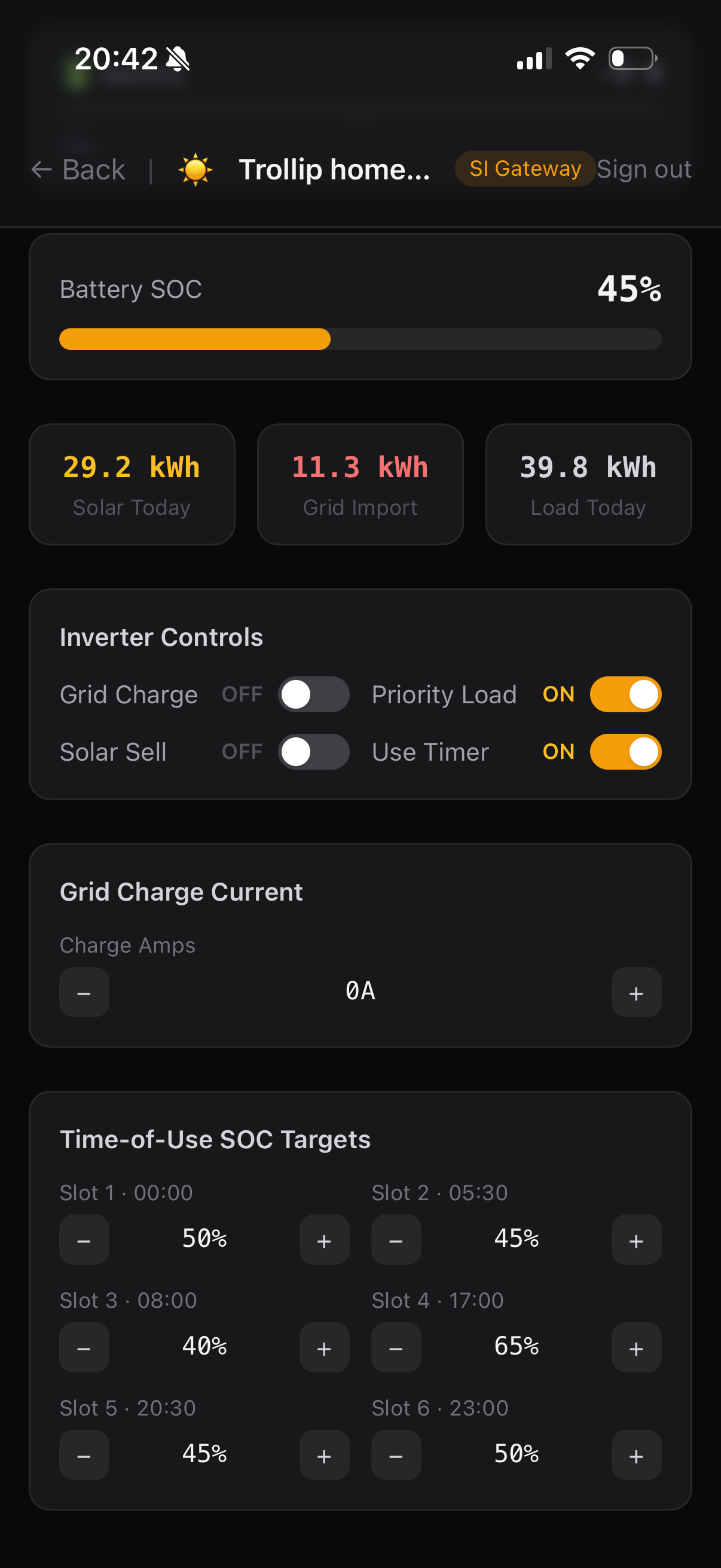
Solar PV output, battery SOC, grid import/export and load — live on your dashboard. Every value that matters, always current.
Dashboard and device logic run on your local network. No cloud account required, no internet dependency for monitoring, control or automation.
View your system from anywhere over an encrypted connection — no router configuration, no port-forwarding, no third-party tunnel service. Once-off purchase, app access included. Your data belongs to you.
Auto-discovers as a native ESPHome device — no add-on, no API key, no cloud bridge. Free ready-made dashboards from our GitHub. Home Assistant is a window, not a dependency: unplug it and your system carries on exactly as before.
Multiple SI Gateways per account — for larger sites, multi-phase systems or properties with more than one inverter. Each Gateway pairs independently.
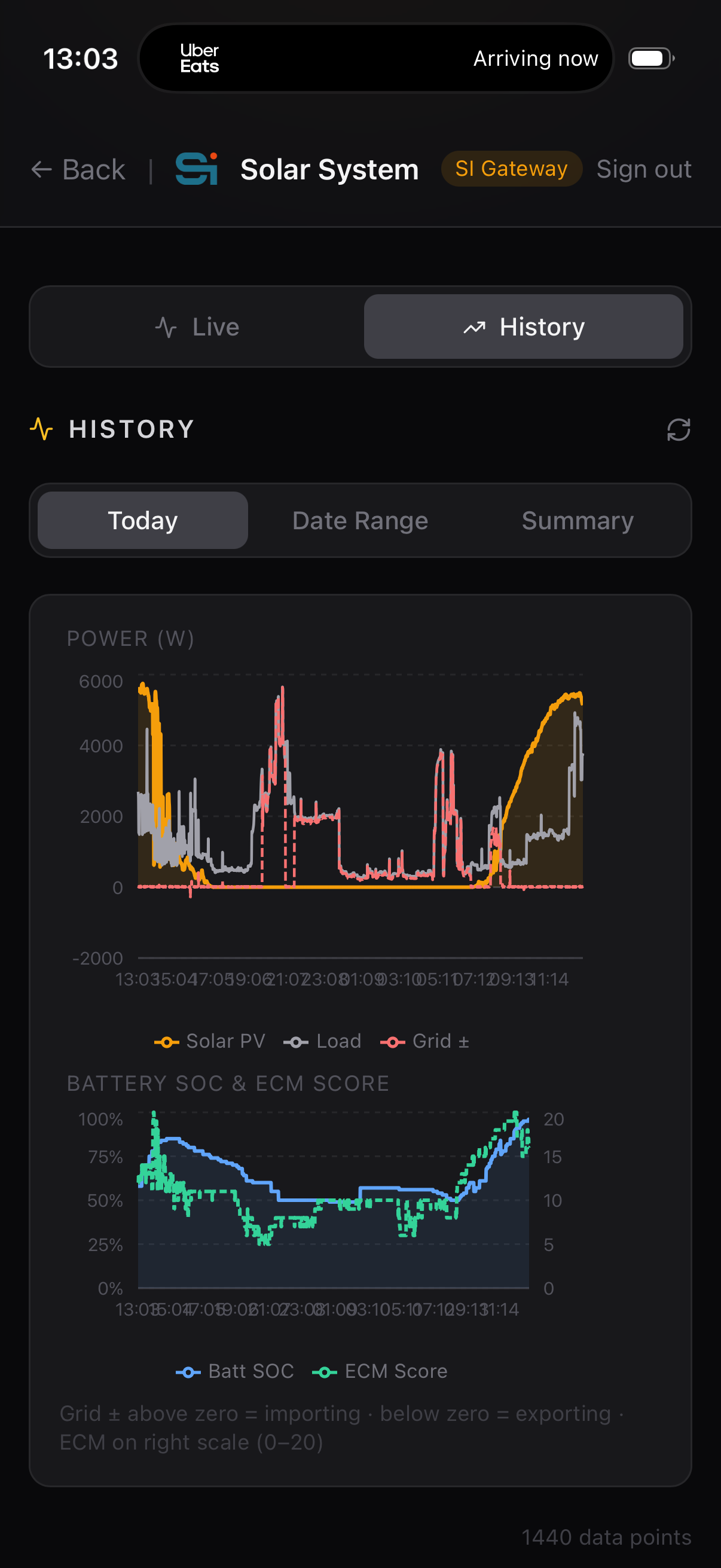
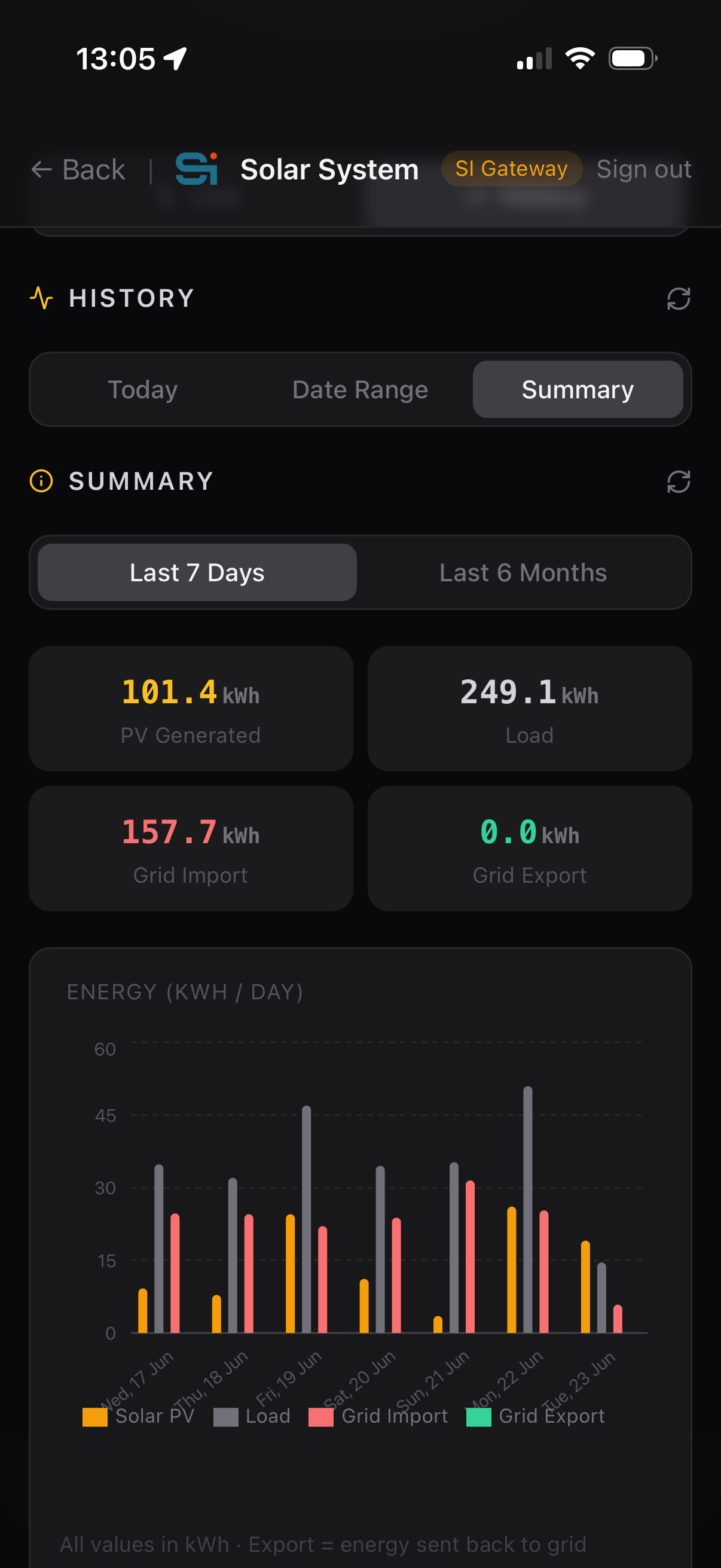
Log inverter performance over time. Review daily solar yield, battery cycles, grid dependency and load patterns. Identify inefficiencies and anomalies across weeks and months.
Installers can access the system remotely for configuration, diagnostics and troubleshooting — with customer permission. Reduces callout costs for both parties.
SI Gateway is the coordination layer for the whole SI platform. It aggregates telemetry from SI Pool, SI Water and future products — enabling cross-domain automations like battery-aware heating and solar-surplus pool heating.
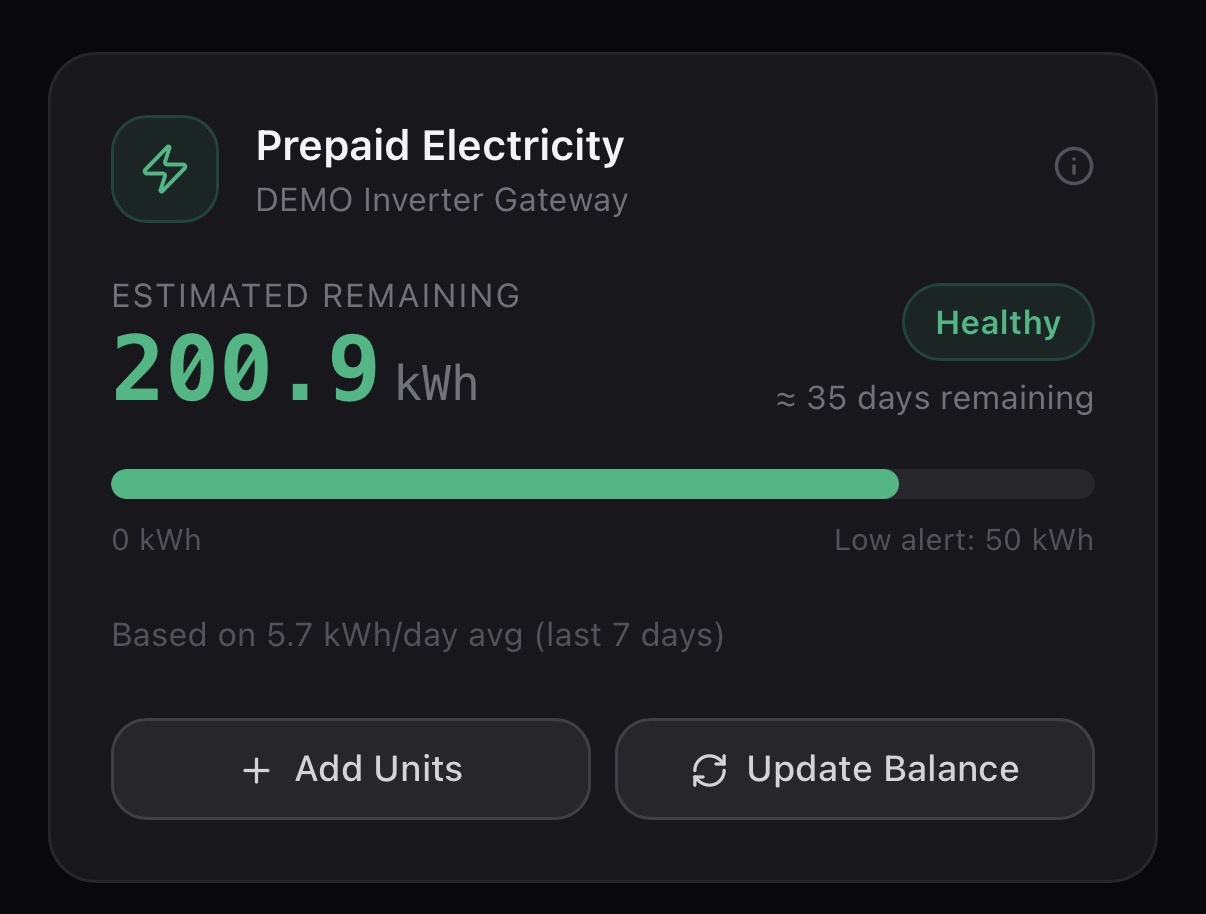
Log your prepaid balance and SI Gateway tracks remaining units against your actual consumption. Know your days-to-empty before your CIU does — with low-balance alerts and one-tap recalibration from your meter.
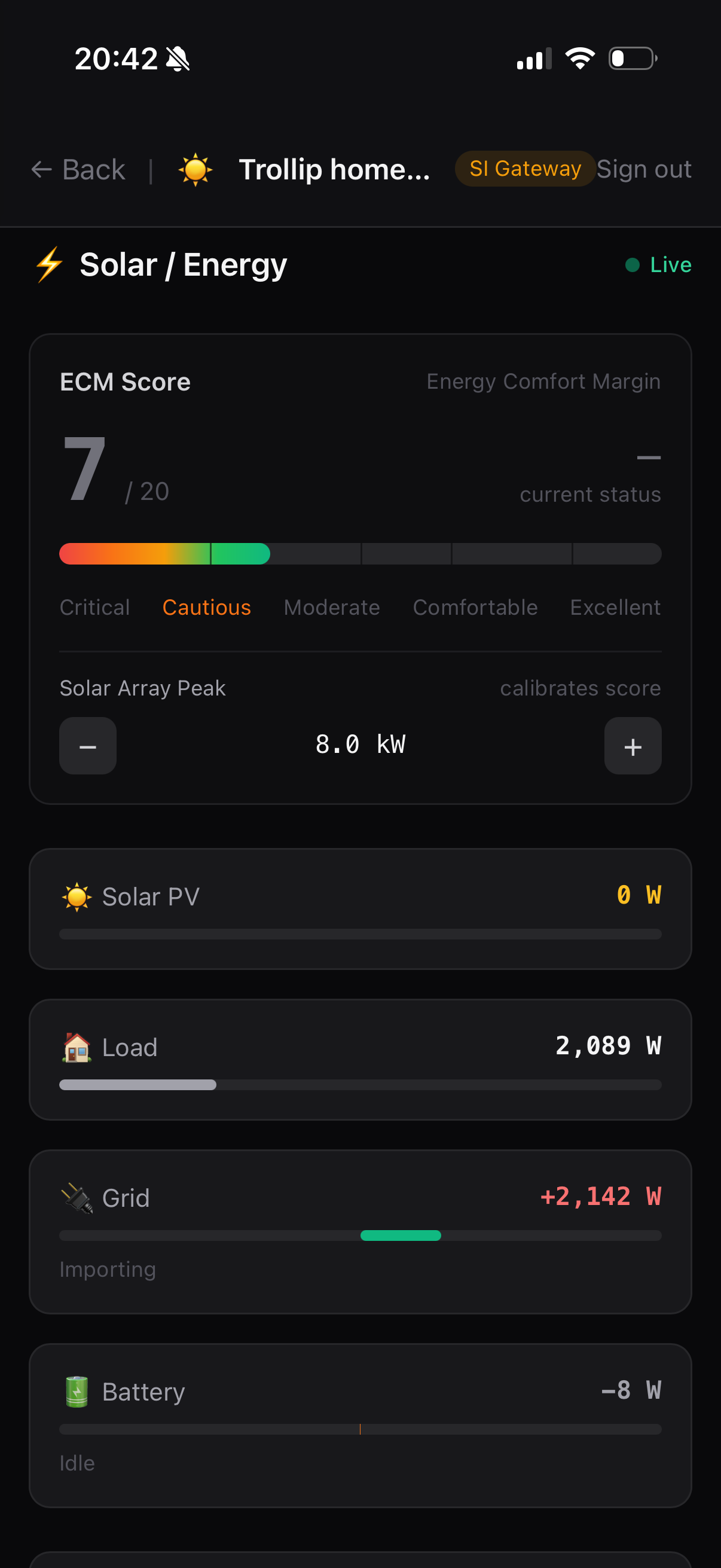
App Preview
Live solar production, ECM score, battery state and grid status — all updated in real time from anywhere.
The Hardware
The SI Gateway mounts on the wall near your inverter and connects to its RS485 port with a single supplied Ethernet cable. It runs locally, with no cloud account and no subscription. In the box: the gateway in its wall-mount enclosure, WiFi antenna already fitted, 12 V power supply, Ethernet cable, mounting screws and a printed quick start guide.
Track the value
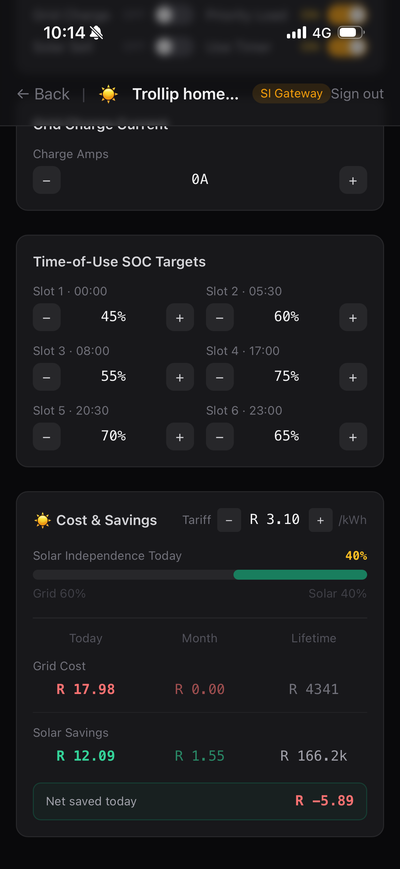
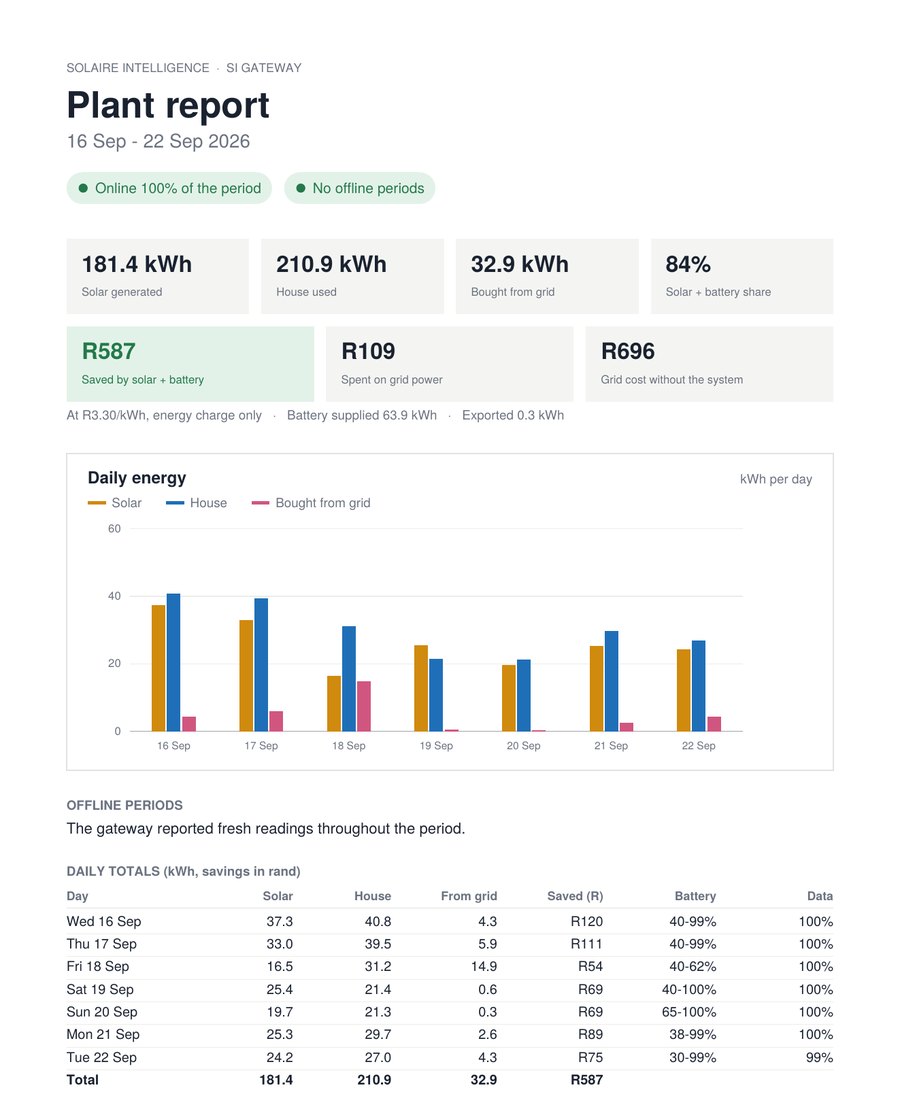
Set your electricity tariff once and SI Gateway tracks the numbers automatically — grid cost, solar savings, and net savings today, this month, and over the lifetime of the system.
Solar independence percentage gives you an instant read on how much of today's energy came from the sun vs the grid. No spreadsheets. No guesswork.
Real number from an active SI site — tariff R 3.10/kWh.
Prepaid electricity
Log your prepaid balance once and SI Gateway does the rest — tracking your consumption against your units in real time. Based on your 7-day average, it tells you exactly how many days remain before you need to top up.
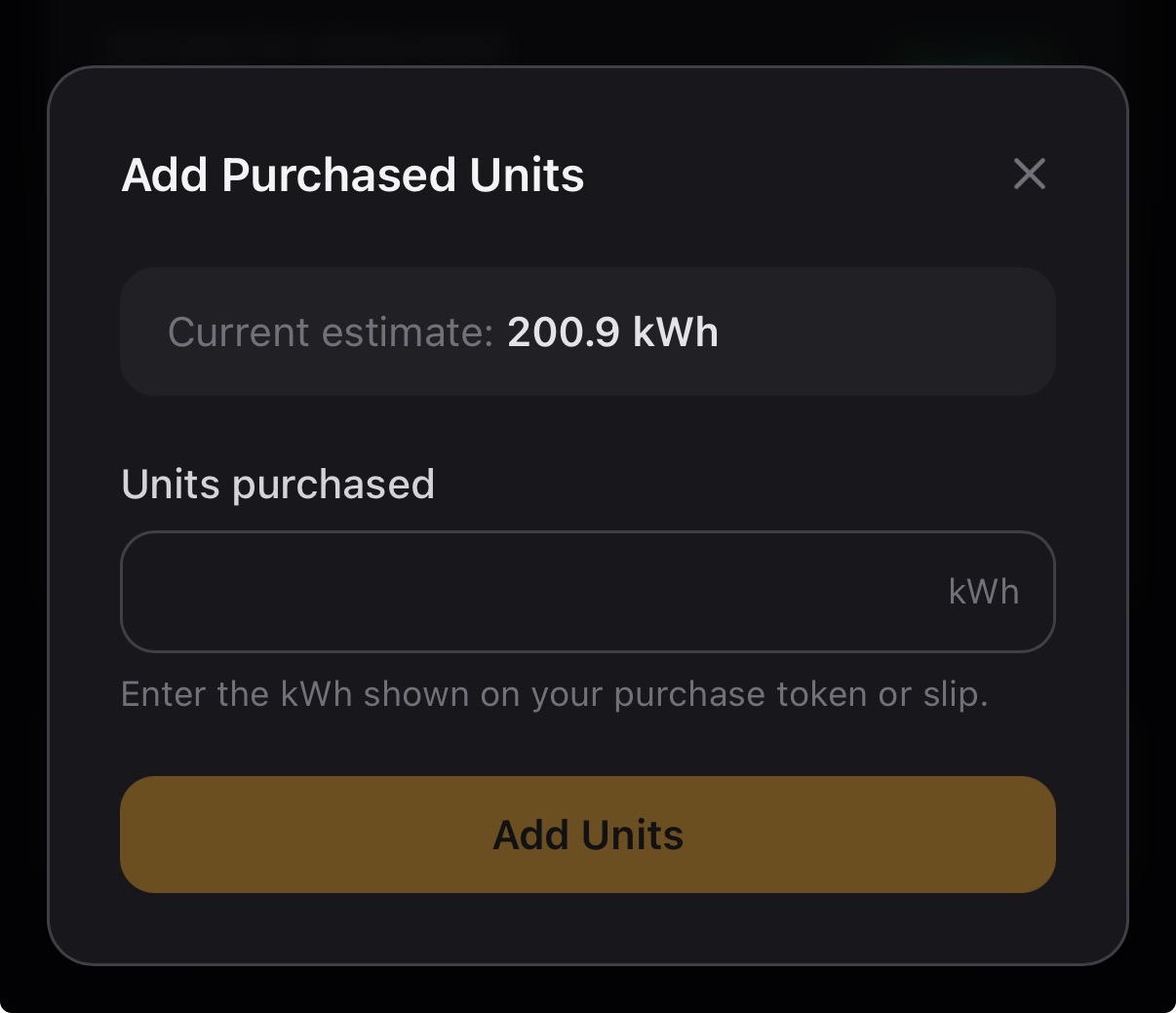
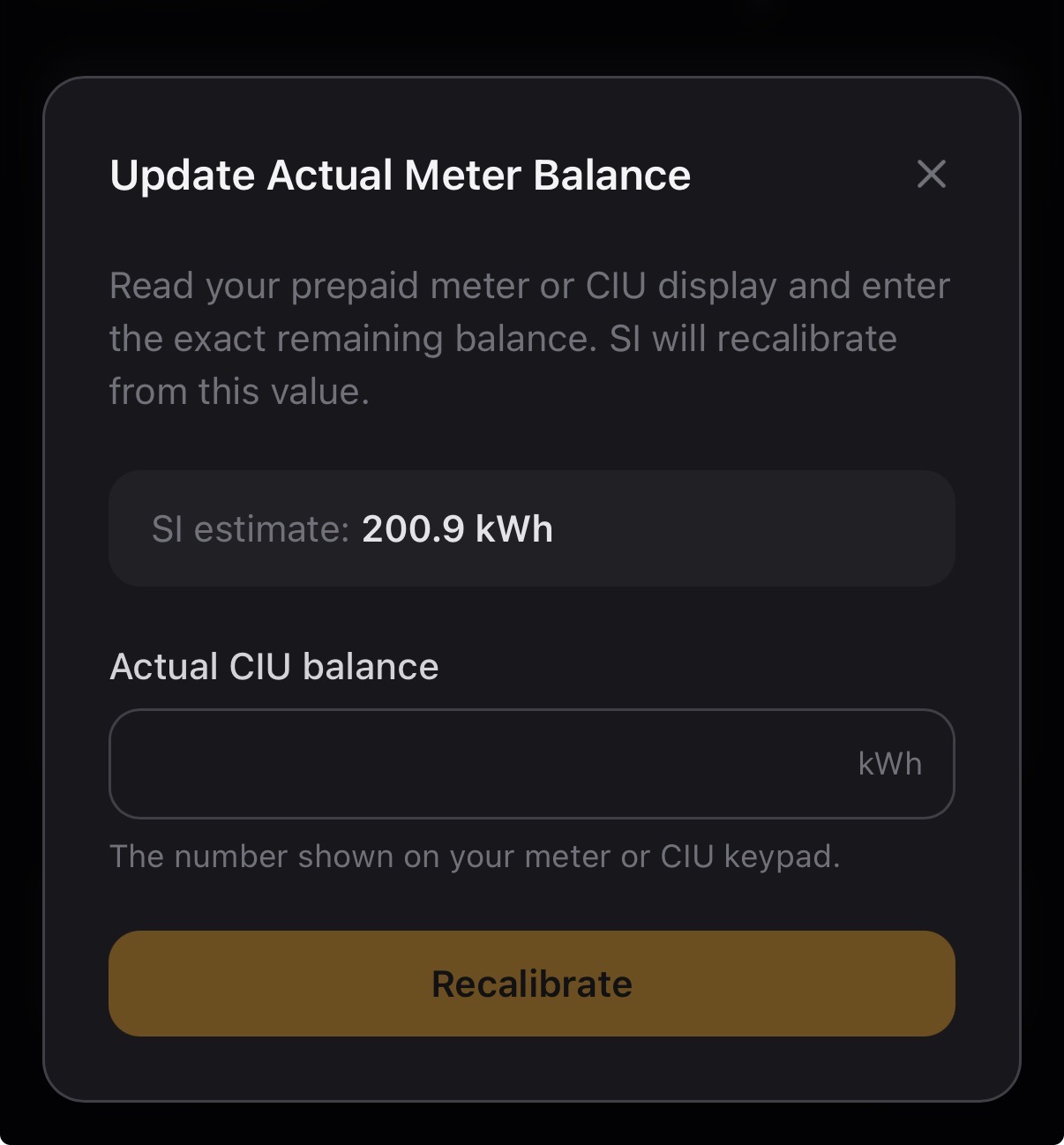
When you buy more units, tap Add Units and enter the kWh from your token slip. If the estimate drifts, Recalibrate from your actual CIU meter reading to snap it back to reality.
Order online
Single-phase and three-phase inverters use different register maps, so we build your gateway to match. Not sure which you have? Send us the make and model and we will confirm before you order.
Secured by Yoco · Card & instant EFT accepted
Add to cart to bundle with other products, or buy directly.
Setting it up
The printed quick start guide in the box walks you through it. Opening the inverter’s wiring cover should be done by a registered electrician or your solar installer — that part takes them about five minutes. Everything after it is easy for anyone.
Mount the gateway near the inverter and run the supplied Ethernet cable from the inverter’s RS485 port to the gateway’s RJ45 port.
Restore power to the inverter and plug the 12 V supply into a wall socket. The status light comes up amber — ready to pair.
Get Solaire Intelligence from the App Store or Google Play and create an account. Tap +, then Get started.
Join the gateway’s own WiFi network (it starts with SI- and ends in -Setup), pick your home 2.4 GHz WiFi in the app and enter its password.
Under a minute later the app says Device added. Tap Go to dashboard and your system is live.
Once on your WiFi it auto-discovers under Settings → Devices & Services → ESPHome. Free dashboards on our GitHub.
The SI Gateway works with Sunsynk and Deye hybrid inverters over the RS485 port. Some models share the battery-comms and RS485 socket — an RS485 splitter is available from us if yours does. Not sure? Send your inverter make and model to WhatsApp 073 894 8248 or sales@solairesa.co.za before ordering and we will confirm.
SI Gateway is not a data logger. It is the supervisory brain of a distributed residential utility intelligence system — aggregating telemetry, coordinating automations, and providing the operational visibility that lets the whole ecosystem think across energy, water and pool.
Technical Specifications
| Compatibility | Sunsynk & Deye hybrid inverters via RS485 — separate single-phase and three-phase builds |
| Inverter connection | RS485 over the supplied RJ45 Ethernet cable |
| Protocol | Modbus RTU over RS485 |
| WiFi | 2.4 GHz (802.11 b/g/n), external antenna fitted |
| Power | 12 V DC supply included, 220 V SA wall plug |
| Mounting | Wall-mount tabs, two 5 mm screws |
| Status light | Amber (waiting for setup) · Blue (WiFi up, waiting for inverter) · Green (working) · Red (lost contact with inverter) |
| Factory reset | Hold BOOT for 10 seconds — returns to factory state, ready to re-pair |
| App | Solaire Intelligence — Apple App Store and Google Play |
| Web portal | portal.solaire-intelligence.co.za, any browser |
| Home Assistant | Native ESPHome device, auto-discovery — no add-on, API key or cloud bridge |
| Connection | MQTT over WSS — local or remote |
| Subscription | None — once-off purchase, app access included |
| Multi-gateway | Yes — multiple gateways per account |
| Installation | About 30 minutes. The inverter wiring cover must be opened by a registered electrician or accredited solar installer (about five minutes); the rest is homeowner-friendly. |
| Warranty | 12 months |
| Origin | Designed, assembled and supported in South Africa |
Compatible With
R1,850 incl. VAT, free delivery anywhere in South Africa, 12-month warranty and no subscription. Ordered today ships from Johannesburg.
Not sure your inverter is a match? Send us the make and model on WhatsApp 073 894 8248 or sales@solairesa.co.za and we will confirm before you order.